Safe file transfer through SFTP
Secure File Transfer via SFTP
SFTP provides secure access over the Internet to files in your home directories and in the shared folders for teaching materials (ukazky).
You can connect to the server with any program that supports SFTP over SSH version 2.
An easy way to connect is with WinSCP, which you can download directly from the developer's website (https://winscp.net/eng/download.php). If you use macOS, we recommend Cyberduck (https://cyberduck.io/download/).
WinSCP is free software released under the GNU GPL licence and may be used free of charge for any purpose. In addition to the standard installer, a portable version is available that does not require installation. Just extract it and run it, even from a USB flash drive.
Connecting with WinSCP
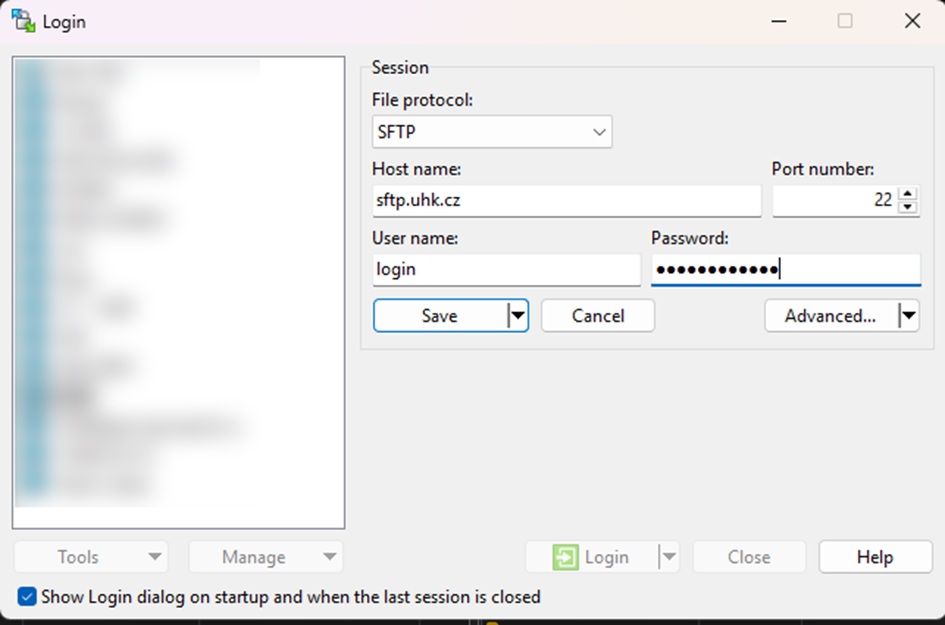
- After starting the program, fill in the following fields:
- host name: sftp.uhk.cz
- user name: uhk\your username
- password: we do not recommend saving your password in the program (you will be asked for it when connecting)
- protocol: SFTP
- Once you have filled in the required fields, click "Login".
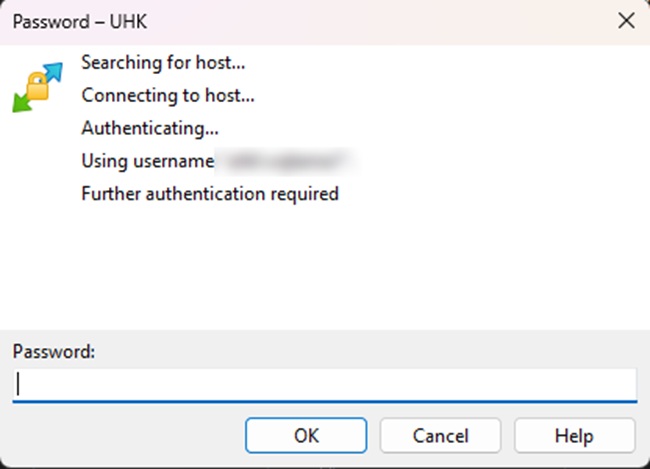
3. If you did not enter your password in the "WinSCP Login" dialog, the program will now ask you for it.
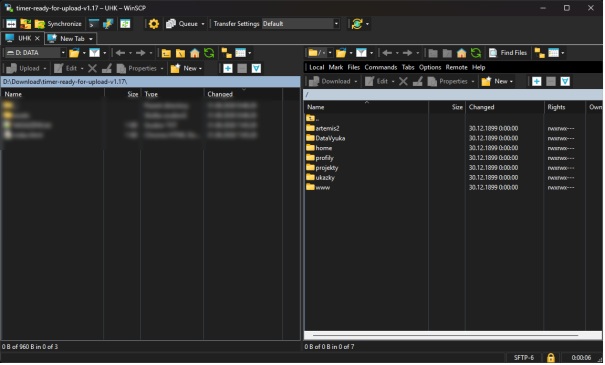
The WinSCP interface is similar to most popular file managers.
By default, the left panel shows the contents of your computer's local disk, and the right panel shows the folders and files on the remote server. Files on the remote server must be copied to your local disk before you open or run them!
Section navigation: Data storage and file handling